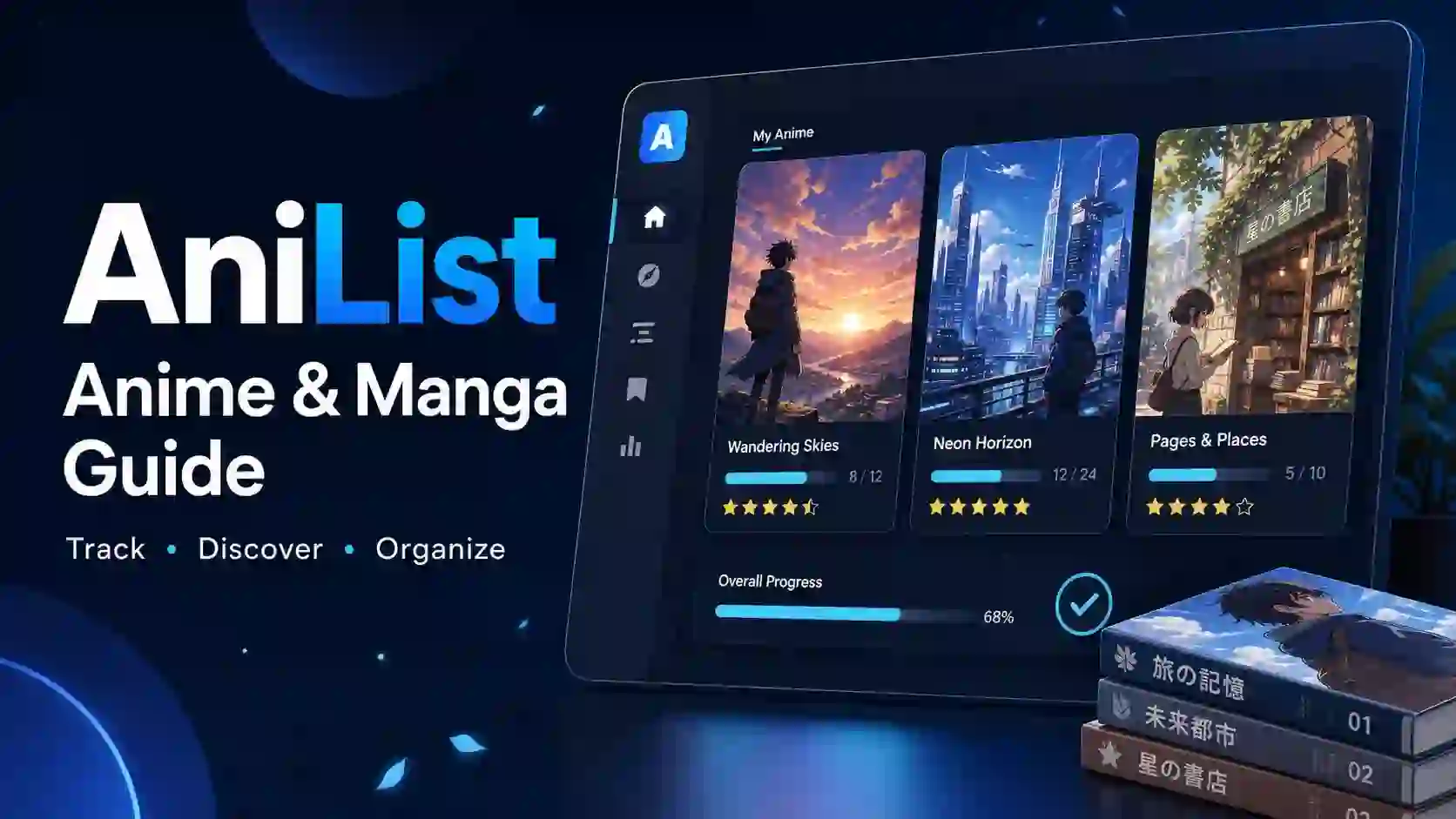
Forgetting your last episode can turn a relaxing evening into a search through old tabs. Add several manga series, split seasons, and recommendations from friends, and your watchlist quickly becomes hard to manage. AniList gives those scattered details a clear home. This guide explains how to build a useful list, track your progress, find better matches, and avoid mistakes that make a tracker harder to use.
Editorial basis: A source-backed beginner’s guide based on the platform’s official website and developer documentation. Practical examples below illustrate suggested workflows, not claimed hands-on testing. Interface labels and app features can change.
What Is AniList?
AniList is an anime and manga database, personal tracking service, and social platform. It helps you organize what you watch or read, record your progress, explore titles, and connect with other fans. Its official documentation describes a database maintained by data teams with help from community submissions.
Think of it as a reading log and viewing notebook connected to a searchable catalog. Instead of keeping episode numbers in one app and recommendations in another, you can build a list around the shows and books that interest you.
The platform serves several different needs:
- Casual viewers: Remember the last episode you finished.
- Manga readers: Keep ongoing reading projects organized.
- Seasonal fans: Explore current and upcoming anime.
- Longtime collectors: Record completed titles and personal ratings.
- Curious newcomers: Find stories through genres, tags, and community recommendations.
You do not need a huge viewing history to benefit. A short, accurate list often helps more than a large collection of titles you no longer recognize.
Is It a Streaming Service or a Tracking Website?
Its main role is tracking, discovery, and discussion—not replacing a licensed streaming service or manga publisher. A database entry tells you about a work; it does not mean the platform hosts the full show or book.
Keep three separate questions in mind: What is this title? Where did I stop? Where can I legally watch or read it? A tracker addresses the first two, while availability depends on the publisher, distributor, and your region.
For example, a series might have a detailed catalog page while its streaming rights differ between Pakistan, the United States, and Japan. Always check a licensed provider’s own catalog before assuming a title is available where you live.
This distinction also helps you avoid misleading search results. A page promising every episode for free is making a different offer from a personal media tracker, even if its name looks similar.
Which Features Matter Most for Beginners?
The most useful features are the ones that solve an immediate problem. Start with progress tracking, clear list statuses, and a small planning list before spending time on profile design or detailed statistics.
The official website highlights customizable scoring, title formats, viewing statistics, community interaction, and apps across several operating systems. It also displays search filters for genres, tags, year, season, format, and airing status.
Use this table to choose a starting point rather than trying every feature at once.
| Feature or tool | Main purpose | Practical example | Best starting habit | Important limitation |
|---|---|---|---|---|
| Personal anime list | Organize viewing progress | Keep an unfinished series separate from completed shows | Update after each viewing session | Your list depends on accurate updates |
| Personal manga list | Organize reading progress | Separate current reads from future choices | Record your stopping point consistently | Different editions can complicate chapter matching |
| List statuses | Explain your relationship with a title | Mark a temporary break as paused | Pick the status that reflects your real intention | A paused title is not the same as a dropped one |
| Personal scores | Record your opinion | Distinguish a favorite from a show you merely finished | Use a scoring system you understand | Your score does not need to match the community |
| Genre and tag search | Narrow discovery | Look for a mystery with a particular setting | Begin with two meaningful filters | Too many filters can hide suitable titles |
| Seasonal browsing | Explore releases by season | Build a shortlist for the next viewing period | Save only titles you genuinely want to try | Release plans can change |
| Title-format preferences | Make names easier to recognize | Choose the naming style you normally use | Keep your preference consistent | Alternate names can still cause confusion |
| Viewing statistics | Summarize recorded habits | Review your highly rated genres | Interpret patterns after checking your list | Incomplete records produce incomplete summaries |
| Community features | Exchange opinions and recommendations | Ask for a short series with a satisfying ending | Describe what you like and dislike | Discussions may contain spoilers |
| Connected apps | Use your account through another interface | Update progress from a phone | Check the developer and login flow first | Features and support vary by app |
| Public API | Support developer-built tools | Build a custom catalog interface | Read the documentation before coding | Access comes with technical and usage constraints |
How Do You Set Up AniList Without Overcomplicating It?
Start on the official website and use its account-creation flow. Choose a unique password and a username you are comfortable associating with your public activity.
Your first goal is not a perfect profile. It is a dependable answer to one question: What am I watching or reading right now?
Follow this simple setup sequence:
- Choose a recognizable title format. Use the naming style that helps you identify shows quickly.
- Pick a comfortable scoring approach. You can think about fine distinctions later.
- Add your current anime. Start with the titles you watched most recently.
- Add your current manga. Check your real stopping point before recording progress.
- Save a few future choices. Keep your planning list manageable.
- Review available account and privacy settings. Understand what other people can see.
Resist the urge to recreate years of media history in one sitting. Add older titles gradually, and leave uncertain details blank rather than inventing exact dates or scores.
If you share devices with other people, sign out when you finish. That small habit protects both your account and the accuracy of your list.
How Do You Track Anime Episodes Accurately?
Search for the exact series or film, open its entry, and confirm that you have the right installment. Similar titles, sequel seasons, recap films, and special episodes can lead you to the wrong page.
Check the format and release information before adding anything. A television season and a film with related names may represent different viewing experiences and separate database entries.
A reliable update routine looks like this:
- Open the correct entry in your list.
- Record the number of episodes you have finished.
- Keep the title in your current viewing category while you continue.
- Move it to completed after finishing that specific entry.
- Add or revise your score when you have enough context.
Suppose you finish episode six of a twelve-episode series. Record six completed episodes—not seven because that is the episode you plan to start next.
For a long franchise, track each database entry separately. Finishing one season does not automatically mean you have completed its sequels, films, or side stories.
If you watch with friends, choose one update point, such as the end of the evening. A repeatable habit reduces the chance of counting an episode twice.
What Do the Different List Statuses Mean?
A status describes what you are doing with a title, not whether you think it is good. Keeping those two ideas separate makes your list much easier to understand.
The official status reference defines six categories: current, planning, completed, dropped, paused, and repeating. “Current” covers watching or reading, while “repeating” covers watching or reading again.
| Status | Plain-language meaning | When to choose it | Example |
|---|---|---|---|
| Current | You are actively watching or reading | The title remains part of your present routine | You watch new episodes each week |
| Planning | You intend to start later | You want to remember a title without starting it | A friend recommends a film |
| Completed | You finished the listed work | You reached the end of that entry | You finished the season’s final episode |
| Paused | You stopped temporarily | You expect to return but need a break | You set aside a long manga during exams |
| Dropped | You stopped before finishing | You no longer plan to continue | The story no longer interests you |
| Repeating | You are experiencing it again | You begin a rewatch or reread | You revisit a favorite series |
Do not treat the dropped category as a failure. It helps distinguish a deliberate decision from a title you simply forgot to update.
Likewise, use paused with intention. If a series sits there for years and you have no wish to return, changing its status makes your record more honest.
How Do You Track Manga Chapters and Volumes?
Manga tracking requires special care because chapter numbers and volume boundaries do not always line up across editions. Bonus chapters, split releases, and collected editions can create confusing stopping points.
Begin by identifying the correct work. An original manga, a spin-off, a novel adaptation, and a similarly named sequel should not share one progress record in your own system.
Next, use a consistent rule for completed reading. If you finish chapter twenty, record twenty rather than the chapter you intend to open next.
When your edition uses different numbering, keep a short reminder alongside your reading record or in a separate notebook. A note such as “finished volume four, before the festival chapter” can be more useful than an uncertain number.
Before marking a work completed, check whether you finished the entire listed series or only the latest available installment. Catching up with an ongoing manga does not mean its publication has ended.
A good reading log answers three questions clearly:
- Which work am I reading?
- What did I actually finish?
- Where should I resume?
How Can You Find Anime That Fits Your Taste?
AniList becomes more useful when you search for the experience you want rather than browsing an endless ranking. Start with your mood, available time, and a few clear preferences.
For example, “a short mystery with a serious tone” gives you a better starting point than “something good.” Use the available genre, tag, format, year, and season filters to narrow the catalog.
Try this discovery process:
- Choose a broad genre. Mystery, comedy, romance, or adventure can establish direction.
- Add a meaningful tag. Look for a theme or setting you enjoy.
- Check the format. A film suits a different schedule from a long series.
- Read the synopsis. Confirm that the premise interests you.
- Look beyond the score. Consider tone, pacing, and content preferences.
- Save a small shortlist. Choose from a few strong options rather than dozens.
If results feel too narrow, remove one filter at a time. A search should help you discover possibilities, not force every preference into a single perfect match.
Treat tags as useful descriptions rather than promises. Two works can share a genre while differing greatly in humor, intensity, and storytelling style.
How Should You Use Seasonal Anime Lists?
Seasonal browsing helps you organize what to try during a release period. It works best as a planning tool, not a commitment to watch everything that appears popular.
Build a shortlist that fits your actual schedule. For example, selecting three ongoing shows may leave room for a film or an older series without turning your evenings into catch-up sessions.
Give each potential choice a simple role:
- Priority: A sequel or premise you already care about.
- Trial: A new title you want to sample.
- Later: Something interesting that can wait until it finishes.
Confirm schedules and regional availability with the relevant distributor before making viewing plans. A catalog’s seasonal placement does not guarantee that every streaming service will carry the title.
Review your shortlist after the first few episodes. Keep what you enjoy, pause what needs a different mood, and drop what does not hold your attention.
How Do Scores, Rankings, and Personal Ratings Differ?
Your personal score records your opinion. A community score summarizes other users’ ratings, while a ranking depends on whatever metric the page uses.
These numbers can help you compare titles, but they do not measure how much you will enjoy a particular story. A widely praised drama may still be the wrong choice when you want a light comedy.
Use a personal rating framework that you can repeat:
- Top tier: A work you would happily revisit or recommend with enthusiasm.
- Strong: A satisfying experience with a few limitations.
- Mixed: Enjoyable elements balanced by clear problems.
- Weak: A title that rarely delivered what you wanted.
Translate those categories into your preferred scoring scale. Consistency matters more than deciding whether one show deserves a tiny fraction of a point above another.
You can also leave a score unset when you lack a clear opinion. A list should preserve your experience, not pressure you into judging every title immediately.
What Can Viewing Statistics Tell You?
The platform’s official homepage describes statistics such as highly rated genres and frequently watched voice actors. These summaries can reveal patterns that are difficult to notice while updating individual titles.
For example, you might discover that your most watched genre is not your highest rated one. That contrast could encourage you to explore a smaller category you consistently enjoy.
Read statistics with the quality of your records in mind. Missing titles, inconsistent scores, and incomplete progress can all change the picture.
Ask useful questions instead of chasing bigger totals:
- Which kinds of stories leave the strongest impression?
- Do I finish shorter series more often?
- Am I repeatedly abandoning similar titles?
- Which creators or performers appear in several favorites?
Statistics describe the history you entered. They do not define your identity or restrict what you should try next.
How Can You Use Community Features Without Spoilers?
Community discussions can help you find recommendations, compare interpretations, and meet people with similar interests. They become more useful when you explain your preferences instead of asking for an undefined “best anime.”
A focused request might say: “I enjoyed a character-driven mystery, want a finished story, and prefer limited graphic violence.” That gives other readers clear reasons to recommend—or rule out—a title.
Protect your experience with a few habits:
- Read discussion headings before opening a thread.
- Avoid conversations about episodes you have not seen.
- State your progress when asking a plot question.
- Keep major reveals out of your own opening sentences.
- Explain criticism without attacking other viewers.
When you write a review, separate observation from preference. “The story spends several episodes on daily life” tells readers more than simply calling it slow.
A helpful recommendation explains who might enjoy a work and why. It also acknowledges a relevant limitation, such as a long setup or an unresolved ending.
How Do You Choose a Mobile App or Connected Tool?
AniList promotes an ecosystem of apps across iOS, Android, macOS, and Windows. Do not assume that every app using the service’s name or data has the same developer, support policy, or feature set.
Before connecting an account, check who maintains the app and whether its documentation explains authentication. Read its privacy policy and look for recent maintenance information.
Compare tools using practical questions:
- Does the app support the tasks you perform most often?
- Can you update progress without unnecessary steps?
- Does it clearly explain account access?
- Are its support channels easy to find?
- Does it distinguish local changes from saved account updates?
Test a harmless change first, such as updating one planning entry, then check the result on the website. This helps you understand synchronization before making many edits.
Avoid entering account credentials into an unfamiliar page simply because it displays a familiar logo. Start from trusted documentation and inspect where the sign-in process takes you.
What Should You Check Before Moving an Existing List?
If you already use MyAnimeList or another tracker, plan the move before changing anything. Your priorities should be preserving the original record and checking whether the destination currently supports your file or transfer method.
Migration features can change, so follow the instructions available in the current account interface. Do not assume a years-old tutorial still reflects the supported process.
Use this verification checklist:
- Save an untouched copy of your source data if export is available.
- Read the destination’s current import instructions.
- Check how it handles anime and manga separately.
- Confirm how it maps statuses and scores.
- Inspect several completed and unfinished entries afterward.
- Look for mismatched seasons, duplicates, and missing titles.
Pay extra attention to personal notes, dates, and custom categories. A successful transfer message does not prove that every field moved exactly as you intended.
Keep your old account unchanged until you trust the result. It gives you a reference if you need to repair missing or incorrect entries.
How Should You Compare Different Anime Trackers?
The best tracker for you is the one you will maintain consistently. Compare actual tasks rather than choosing only by appearance, community size, or another person’s preference.
Use the same small sample of titles when testing two services. Include a finished series, an ongoing manga, a sequel, and a future watch so that you encounter different list needs.
| Decision factor | What to test | Why it matters |
|---|---|---|
| Daily updates | Record one episode and one reading session | Frequent tasks should feel simple |
| Search clarity | Find a sequel and its original series | Clear matching prevents incorrect entries |
| Scoring preferences | Try the available rating controls | Your scoring style should feel natural |
| Discovery | Search for a specific mood or format | Useful filters reduce browsing time |
| Social experience | Read a few relevant discussions | Community tone affects long-term enjoyment |
| Mobile access | Complete your normal workflow on a phone | Your main device should suit the interface |
| Data portability | Read current import and export guidance | You should understand future moving options |
There is no need to maintain two complete lists unless that arrangement solves a real problem. Duplicate recordkeeping can create more work and conflicting progress numbers.
How Do Database Entries Connect Related Titles and Creators?
Anime discovery involves more than names and scores. Related subjects include manga source material, adaptations, studios, directors, voice actors, characters, sequels, and side stories.
These relationships help explain why you enjoyed a work and where you might look next. A favorite performance could lead you toward another role, while a source manga could offer a different version of a familiar story.
Do not mistake a relationship for a viewing-order instruction. A prequel may appear earlier in a fictional timeline but have been created with knowledge of the original series in mind.
When a franchise feels confusing, answer these questions first:
- Is this a sequel, remake, adaptation, or side story?
- Does it continue the same continuity?
- Does it repeat material from another entry?
- Does the distributor or creator provide viewing guidance?
This approach turns a catalog into a research aid. You spend less time guessing from similar cover art and more time choosing the right work.
What Does the Public API Do?
AniList provides a free, publicly accessible API, which its documentation describes as a slightly reduced version of the API used by the website. Developers can use its GraphQL interface to build supported tools around the service’s data.
An API is a structured way for software to request information. Instead of manually opening pages, a developer’s application can request the fields it needs through the documented interface.
For an ordinary user, the main point is that connected tools can offer different ways to interact with the same ecosystem. Their quality still depends on their developers, security practices, and ongoing maintenance.
For developers, begin with the current documentation, authentication guidance, and usage rules. Keep credentials and access tokens out of public code, and avoid requesting or storing data your application does not need.
The official documentation also warns that database entries may contain adult content. Anyone building an app for a younger audience must consider content handling rather than assuming every result suits every user.
Which Mistakes Make a Watchlist Harder to Use?
Most tracking problems come from small inconsistencies rather than missing advanced features. A short review once a week can catch them before they spread through your list.
Watch for these common mistakes:
- Saving the wrong installment: Check the season, format, and release details.
- Recording the next episode: Log what you finished, not what you plan to start.
- Keeping everything current: Move inactive titles to a more accurate status.
- Scoring from memory alone: Leave uncertain ratings unset until you have context.
- Collecting endless plans: Remove titles you no longer want to try.
- Trusting every transfer field: Compare imported entries with the original list.
- Treating popularity as personal fit: Read the premise and relevant content details.
A useful list should reduce decisions, not create guilt. You can change your mind, revise a rating, or stop watching without explaining yourself to anyone.
Frequently Asked Questions
Is AniList suitable for someone new to anime?
Yes. AniList can help beginners keep a small watchlist and discover titles through search and community recommendations. Start with current viewing and a few future choices rather than trying to understand every feature immediately.
Can AniList help me track both anime and manga?
Yes. AniList supports anime and manga tracking. Keep the correct work, list status, and completed progress clear so you can return to each title without guessing where you stopped.
Does AniList host full anime episodes?
No. AniList is a database, tracking, and social service, not a replacement for licensed streaming providers. Check an authorized distributor for viewing availability in your country.
Why do people search for “ani list,” “anlist,” or “annielist”?
These spellings can reflect spacing differences or typing mistakes when someone searches for the platform. Check the official domain, anilist.co, rather than assuming every similarly named result represents the same service.
Should I finish a series before giving it a score?
You can decide when a personal score feels meaningful. Waiting until the end gives you the full story, while an earlier score can capture an opinion you later revise. Keep your own approach consistent.
Does a high community score mean I will enjoy a show?
No. A high score reflects other viewers’ responses, not a guarantee about yours. Check the premise, tone, format, and content preferences before deciding whether a title belongs on your watchlist.
Build a List You Will Actually Use
You do not need a perfect catalog to enjoy a better viewing routine. You need accurate progress, clear statuses, and a short list of titles you genuinely want to explore.
Start with three actions today: add one current show, record your actual stopping point, and save one promising recommendation. Review those entries after your next viewing session so the habit stays simple.
Let your list support your enjoyment, not compete with it. Which would help you most right now: remembering your last episode, organizing your manga, or finding your next favorite story?