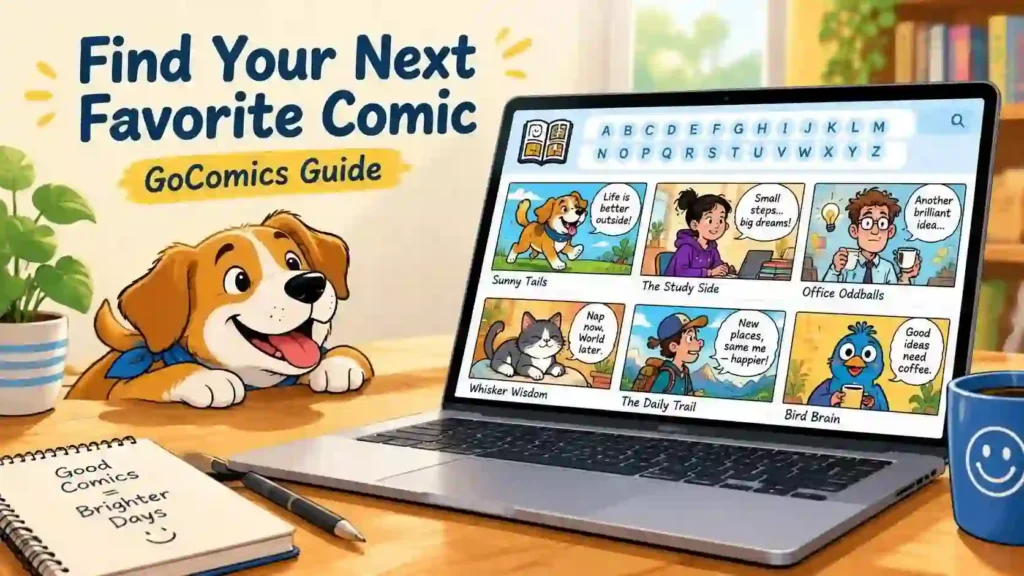
Want to read a favorite comic online, but aren’t sure where to find it, whether you need an account, or how much of its archive is available? Agitate: Search results can mix up the official site, old app information, similarly named comics, and titles that may not be available in the same place. Solution: This guide explains how GoComics works, how to browse its A-to-Z and category listings, and how to choose between guest, free-account, and paid access—so you can find today’s strips and decide what suits your reading habits.
What is GoComics?
GoComics is an online destination for reading comic strips, webcomics, editorial cartoons, and other cartoon features. It brings familiar newspaper-style comics and newer digital strips together in one place. Readers can browse titles, open individual comic pages, and explore content by category.
The site is useful both for readers who want to check a daily comic and for fans who want to follow several titles. Depending on account type, readers can also create a personalized “My Comics” page, comment, save comics, and access more of a title’s archive. The exact features available depend on whether you browse as a guest, register for a free account, or subscribe.
The name is often searched in several forms: “GoComics,” “go comics,” or “Go Comics website.” These usually refer to the same service. Searches such as “GoComics online” typically signal that a reader wants to open strips in a browser, while “GoComics sign in” or “GoComics login” points to account access.
How do you find comics on GoComics?
Start with the site’s Comics menu. From there, readers can browse the A-to-Z listing or explore comics grouped by category. The category pages can help narrow the search if you know what kind of humor or subject you want but have not settled on a particular title. GoComics groups content into areas such as newspaper strips, webcomics, kids’ comics, sports comics, and office humor.
If you know the title, search by its name and check that the result is the specific strip you mean. Some names have multiple versions or related features. If you are exploring, browse the A-to-Z listing alphabetically, or use a category page to discover titles in a particular genre.
GoComics A-to-Z and A-Z listing
Searches for “GoComics A to Z,” “GoComics A-Z,” “GoComics AZ,” and “GoComics A to Z list” generally mean the same thing: a directory of comic features arranged alphabetically. The A-to-Z listing is the practical starting point when you know a title—or part of its name—but do not know its exact page.
Use it to look up a comic such as Luann, Big Nate, Garfield, Pickles, or Gil Thorp. If a title is missing from the first letter you expect, try a shorter spelling or search for the full title. A listing can also help distinguish a comic from similarly named features.
An A-to-Z directory is not the same as a guarantee that every comic ever published appears on the service. A title may have an archive with limited dates, or a search phrase may point to another publisher, a different franchise, or an unrelated result. Check the specific title page and its available dates rather than assuming every search result represents a GoComics feature.
Which popular comics can you read?
GoComics features established newspaper comics alongside newer strips and cartoon panels. The official site currently highlights such titles as Luann, Calvin and Hobbes, Pearls Before Swine, Garfield, Pickles, Non Sequitur, For Better or For Worse, Baby Blues, Peanuts, and Doonesbury. Availability and archive depth can vary by title.
The table below groups examples by the kind of search a reader might make. It is a discovery guide, not a promise that every title has a complete archive or identical access rules.
| What you’re looking for | Examples to search | Helpful next step |
|---|---|---|
| Familiar family and school humor | Big Nate, Luann, Baby Blues | Open the title page to check the latest strip and available dates. |
| Classic characters | Calvin and Hobbes, Peanuts, Garfield | Check the title’s archive; access to older strips may depend on your account. |
| Everyday-life humor | Pickles, Pearls Before Swine, For Better or For Worse | Follow the comic if you want to collect favorites in one place. |
| Sports humor | Gil Thorp, Cleats, In the Bleachers | Browse the sports category if you want more titles in that theme. |
| Political cartoons | Search the cartoonist’s name or browse editorial cartoons | Check the publication date and creator credit on the individual cartoon. |
| Digital-first comics | Browse the webcomics category | Try a few strips to find a style and subject you enjoy. |
Searching for a specific strip
A precise query often makes a big difference. Search for the title plus “GoComics,” such as “Luann GoComics” or “Big Nate GoComics.” You can also search for a creator’s name if you know it. Then confirm that the page title matches the comic you want.
Some keyword searches are more ambiguous than they look. “Teen Titans Go comics,” for example, may refer to the DC franchise rather than a GoComics strip. “Transformers Go Go comics” may also lead to comics from other publishers or unrelated results. Treat the phrase as a search query, not evidence that a particular comic is hosted on GoComics.
How do you read today’s comics?
Open a title page to see the comic strip or cartoon available for the selected date. Use the date controls on the page to move through dates where available. For a daily reading routine, choose the comics you want to follow and gather them on a personalized My Comics page if your account level supports that feature.
The phrase “GoComics today” often means a reader is looking for the newest installment. If the newest strip is not visible, check the page’s date, refresh it, or return later. Publication timing can vary by feature, and not every comic necessarily updates at the same time.
To make daily reading easier:
- Search for each strip by its full title.
- Open the title page and confirm that it is the right feature.
- Use the follow option if it is available for your account.
- Add the comic to your My Comics page.
- Revisit the page when new strips are published.
Can you read GoComics without an account?
Yes. You can browse as a guest, but guest access comes with limits. GoComics’ current help information says guests can view 14 days of comic archives, while free registered users can view 30 days. A free account also includes one My Comics page and commenting. Premium access includes unlimited archive access and additional features.
The best choice depends on what you want to do. If you only want to check recent strips, guest access may be enough. If you want to follow favorites or join the comments, a free account adds useful tools. If you often revisit older comics, a paid subscription may be worth comparing with your reading habits.
| Access type | Archive access | Personal reading tools | Other listed features |
|---|---|---|---|
| Guest | 14 days | No My Comics page | Cannot follow comics, comment, receive My Comics emails, or use puzzles and games |
| Free registered account | 30 days | One My Comics page | Commenting |
| Premium subscription | Unlimited | Up to 12 My Comics pages; daily custom emails; saved comics | Ad-free reading, commenting, puzzles and games, and other subscriber features |
Features and plan details can change. Check GoComics’ current account comparison before choosing a plan. The official help information currently lists Premium at $2.99 per month or $34.99 per year.
How do you create a free account or sign in?
To register, use the account or subscription options on GoComics and follow the on-screen prompts. The help center describes a free account as a registered account that uses an email address but does not have a paid Premium subscription. Once you have an account, use the sign-in option and enter the email and password associated with it.
If a “GoComics login” or “GoComics sign in” search brought you here, make sure you are using the official GoComics service and the email tied to your account. If sign-in fails, check for a typo, confirm that you are using the right email address, and use the password-reset option if needed. If the site still will not accept your details, contact GoComics support through its help center.
Common sign-in problems
- Forgotten password: Use the password-reset flow and follow the instructions sent to your registered email.
- Wrong email: Try the address you used when creating the account.
- Account access unclear: Check whether you registered for a free account or started a paid subscription.
- Page not loading: Refresh the page or try again in another browser.
- Still stuck: Use the official help center to submit a support request.
Do not assume that a search result for “GoComics A to Z login” is a separate login portal. The A-to-Z directory is for finding comics; account sign-in is a separate account function.
What does a GoComics subscription include?
GoComics currently describes its Premium subscription as offering unlimited archive access, up to 12 personalized My Comics pages, daily custom emails, saved comics, ad-free reading, commenting, puzzles, and games. Its subscription page lists a $2.99 monthly price and notes that an eligible first subscription may include a seven-day free trial. Confirm the terms shown at checkout before subscribing, since eligibility and plan details can change.
A subscription is most useful for readers who return to older strips or want a more customized experience. Someone who checks only a few recent comics may prefer to start as a guest or with a free account. Compare the features you will actually use, not just the total feature list.
Before subscribing, consider:
- How often do you read comics?
- Do you want to browse beyond the recent archive window?
- Would daily email delivery help, or would you rather visit the site?
- Do you need more than one My Comics page?
- Will you use saved comics, puzzles, or games?
- Does the displayed price and billing period fit your budget?
How do you use My Comics?
My Comics is a personalized place to gather followed strips. To add a feature, visit its page and select the follow option if it is available. You can then add it to a My Comics page or create one. The GoComics help center explains that users can manage these pages through the account’s “My Stuff” area.
A free account includes one My Comics page, while the Premium plan currently lists up to 12. That makes the feature useful for readers who follow several strips and want to avoid searching for each title every day.
For a tidy page, follow only the comics you actually read. Grouping by theme can help, too—for example, one page for family humor and another for political cartoons, if your plan allows multiple pages. If a comic no longer interests you, remove it from the page rather than letting the list grow until it becomes hard to scan.
Can you read GoComics on a phone?
GoComics can be read through its website in a mobile browser. Open the site, find a comic through search or the category pages, and use the title page to read available strips. The current official information describes site features such as My Comics, saved comics, and subscription access. Check the official site for current mobile options; older third-party articles about GoComics apps may describe outdated versions.
For easier reading on a phone, rotate the screen if a wide strip is difficult to read, use browser zoom carefully, and check whether the page offers a better fit. If you are signed in, your account features can make it simpler to return to comics you follow.
Search phrases like “GoComics app” can bring up old app listings and archived coverage. Before installing an app, verify that it is currently offered by the service and published by the legitimate developer. Do not download an unofficial app file just because its name resembles
How do GoComics archives work?
An archive lets readers revisit earlier installments of a comic. The amount you can read depends on the access level associated with your visit: GoComics currently lists 14 days for guests, 30 days for free registered users, and unlimited access for Premium subscribers. The available history can still differ by comic, so check the title’s date controls to see which strips are actually accessible.
An archive may not include every installment from a comic’s entire publication history. A strip can have a long run but a shorter online archive. If you are searching for a particular date, use the comic page’s date navigation and confirm that the archive includes that date.
Searches such as “Peanuts Begins GoComics” may refer to a specific feature or a run of strips, while “GoComics Calvin and Hobbes” may signal interest in an older archive. The title page and account access information are the best places to confirm what is currently available.
How do you find political cartoons?
GoComics includes editorial cartoons as well as comic strips. To find political cartoons, browse the relevant category or search for a cartoonist by name. A search like “GoComics political cartoons A-Z” is a useful way to look for an alphabetical directory, while a creator name can help you locate a particular voice.
For a specific cartoon, check the creator credit and publication date. Search phrases may include a dated reference—for example, “Lalo Alcaraz August 22 2024 GoComics politician.” That query is specific enough to help locate a particular cartoon, but the date and creator should be confirmed on the actual page before quoting or sharing it.
Editorial cartoons often respond to current events. Reading the date and the surrounding context helps prevent an old cartoon from being mistaken for a current one. If you share a cartoon, preserve the artist’s credit and respect the site’s terms for reuse.
How do you choose a comic to follow?
Start with what makes you laugh. Some readers enjoy family dynamics, school stories, pets, sports, or workplace humor. Others want political cartoons or a longer-running story. Browsing by category is a simple way to discover options without knowing the exact title in advance.
Try a few recent strips before deciding to follow a feature. A title’s premise may sound appealing, but the style, characters, and humor matter more once you start reading. If you find a comic you like, use My Comics to keep it handy. If you prefer occasional browsing, save the title name and return to its page when you want a new strip.
The search terms “GoComics Luann,” “Luann GoComics,” and “GoComics Big Nate” are examples of title-focused queries. Try both the title and the platform name if a search gives broad results. For longer series, check whether the page distinguishes a current feature from a classic or alternate edition.
How should you evaluate comics and creators?
A comic page can tell you who created a strip and, in some cases, provide a short description or background. Read the creator credit rather than relying only on a search snippet. For political cartoons, verify the publication date and artist name. For a comic you plan to follow, sample several strips to see whether the humor and subject matter suit you.
When discussing a strip, distinguish your interpretation from the creator’s stated intent. A character’s joke or a cartoon’s political point may be understood differently by different readers. Clear attribution and context make a discussion more useful and fair.
For parents and caregivers, preview a comic before recommending it to a child. The site includes kids’ comics, but readers’ ages and sensitivities differ. A category label is a helpful starting point, not a substitute for reviewing the content yourself.
What should you know about copyright and sharing?
Comic strips and cartoons are creative works. Reading a comic on a platform does not automatically grant permission to reproduce it elsewhere, remove its credit, or use it in commercial content. If you want to share a strip, use the site’s available sharing options and follow the terms that apply to the content.
For publication, classroom distribution, promotional use, or commercial projects, seek permission from the rights holder when required. A screenshot or downloaded image is not the same as a license. When in doubt, ask the creator, syndicate, or publisher about permitted use.
Frequently asked questions
Is GoComics free to use?
You can browse as a guest or create a free account. Guest access currently includes 14 days of archive access; free registered accounts include 30 days and one My Comics page. Premium adds unlimited archives and other features.
How do I find the GoComics A-to-Z list?
Open the Comics menu and choose the A-to-Z listing. Search for a title alphabetically, or use the category pages if you want to browse by genre.
Can I read Big Nate, Luann, or Garfield on GoComics?
These titles appear among GoComics features. Search by the exact title, open its page, and check the dates and access level available to you.
Does GoComics have Calvin and Hobbes archives?
The official subscription page lists Calvin and Hobbes among the classic comics included with subscription access. The archive dates you can read depend on the title’s available content and your account level.
How much does GoComics Premium cost?
The current GoComics help information lists Premium at $2.99 per month or $34.99 per year. Confirm the price, renewal terms, and any trial eligibility on the subscription page before purchase.
Is there a GoComics app?
Use the current official GoComics site to check mobile access and app availability. Older articles and app listings can be out of date, so verify the publisher and current status before installing anything.
Make GoComics part of your daily reading
GoComics gives comic fans a straightforward way to find familiar strips, discover new creators, and return to favorite characters. Use the A-to-Z directory when you know a title, browse categories when you want ideas, and compare guest, free-account, and Premium access before choosing how to read.
Start with a few comics that match your interests. Check the newest strips, follow the ones you enjoy, and use the archive when you want to revisit older installments. A good reading list does not need to be long—just make room for the comics that brighten your day.